Speak. It types. Ask. It answers.
Talvio is a voice layer for your whole computer. Dictate into any app, ask an assistant that answers out loud, and tell Windows what to do, from your desk or from your phone.
Works wherever there's a cursor
- Gmail
- Slack
- Word
- VS Code
- Notion
- Outlook
- Teams
- Chrome
- Figma
- Discord
- Excel
- Linear
- Obsidian
01 · Dictation
Hold two keys.
Talk. Let go.
Your words land where the cursor is, in any app. A small ellipse floats at the bottom of the screen and shows them as you speak, so you know it heard you before it types a thing.
- Local or cloudRun Whisper, Parakeet and 60+ other models on your own graphics card, or plug in ElevenLabs, Deepgram, OpenAI and more.
- 99+ languagesSpeak the language you think in. Chinese comes out in the script you prefer.
- Hands-free when you need itTap Space while you dictate and let go of the keys. It keeps listening until you're done.
- Undo, even after EscCancelled by mistake? The pill offers Undo, and your words are still there.
Hi Sara,
Thursday works for me.
02 · AI cleanup
Say it messy.
Send it clean.
Cleanup takes out the ums and false starts, fixes grammar and punctuation, and keeps your meaning and your voice. Short notes go straight through; add Shift to clean up the long ones.
Runs offline with SpeakoFlow Mini. A 0.8B model trained for exactly this job, small enough to run on your own computer. Or use any model you like, local or hosted.
What you said
So um I think we should, uh, move the launch to like Thursday, no wait, Friday, because the the build isn't ready yet.
What it typed
I think we should move the launch to Friday, because the build isn't ready yet.
03 · Assistant
An assistant you talk to,
not type at.
Hold Ctrl + Alt and ask. A luminous orb answers out loud, then gets out of the way. Select some text first and it answers about that; let it look at your screen when you want it to see the error.
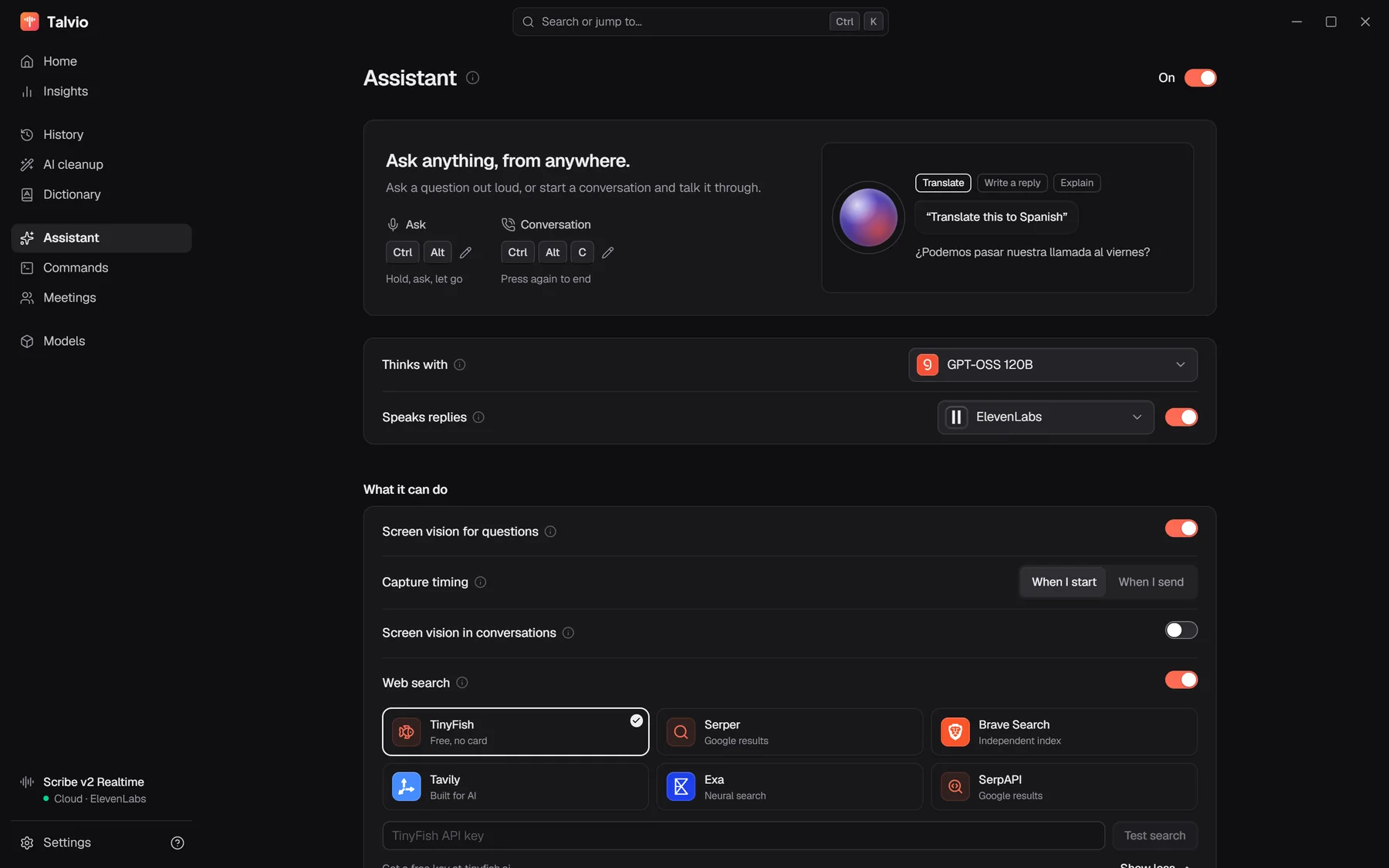

- Answers aloudElevenLabs, Azure, OpenAI, or a voice that runs entirely on your computer.
- Sees when you say soScreen vision is off until you turn it on, and the model only looks when your question needs it.
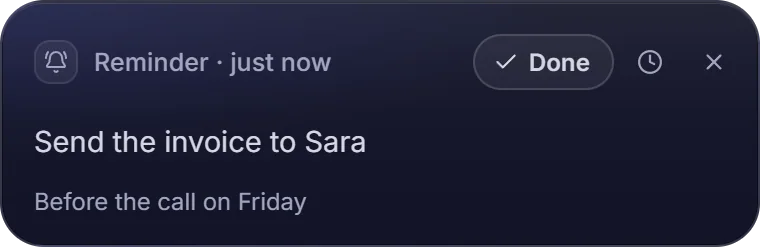
- Sets reminders"Remind me to send the invoice in twenty minutes." It fires even if you closed the app.
- Searches the webFresh answers from the search engine you choose, folded into one spoken reply.
- Calls, not just asksPress Ctrl + Alt + C and talk a problem through, hands-free, like a call.
- Remembers, privatelyMemory learns what matters to you and stays on this device. Off by default; Incognito skips it.
04 · Voice commands
Tell your computer
what to do.
Open apps and sites, play a song, turn the volume down, write the email. Say it once and Talvio does it in your own apps, where you can watch.
- "Open YouTube and play Believer"
- "Pause the music"
- "Send an email to Ron about the meeting at nine"
- "Switch to Chrome"
-
Open YouTube and play Believer
Opened YouTube
Playing Believer by Imagine Dragons
-
Turn the volume down
Volume set to 30%
-
Send an email to Ron about the meeting at nine
Wrote it in Gmail
Sent to Ron
05 · Meetings
Every call,
written down.
Talvio records you and everyone else on separate lanes, transcribes by speaker, and writes the notes when the call ends: what was decided, who owns what, what's next. Then ask the meeting anything.
Notes, written when the call ended
- Decided: ship 1.6 on Friday, with the overlay fix in a patch.
- You write the release notes draft.
- Priya re-tests the overlay on GNOME Wayland.
- Marco records the meetings demo for the site.
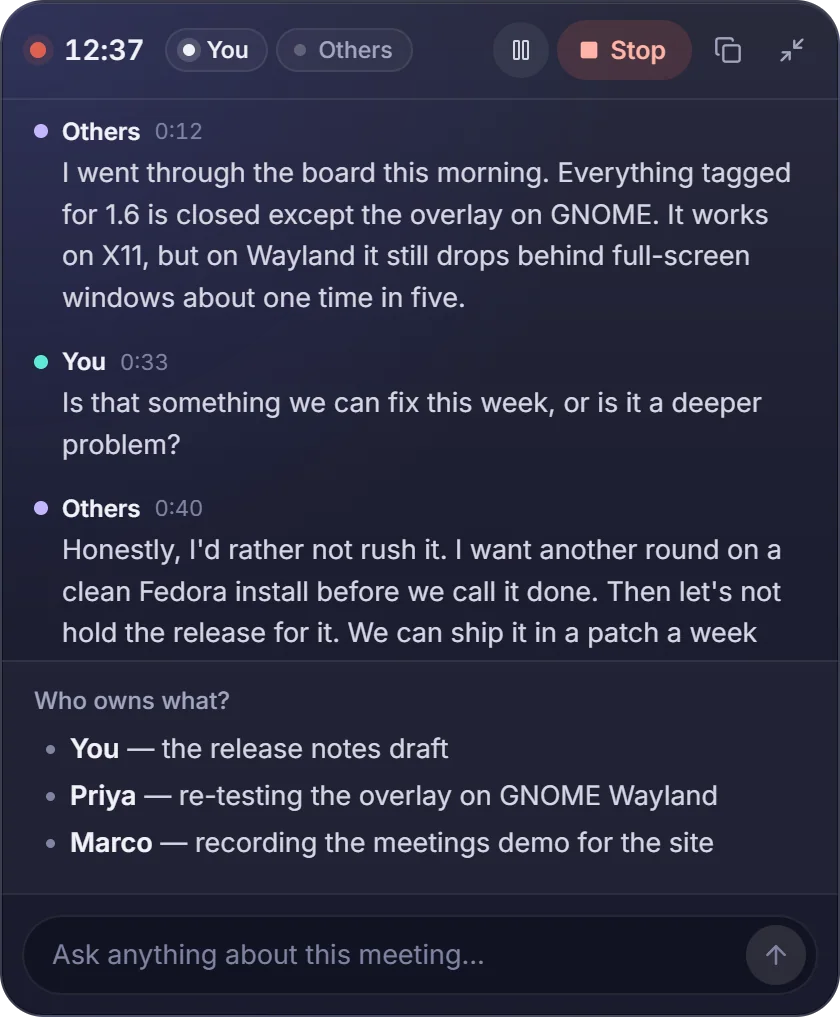
- Split by speakerZoom, Meet, Teams or a call in the browser. No bot joins the call.
- Notes that write themselvesIn the meeting's language, or in the one you read.
- Ask the meeting“Who owns the release notes?” gets an answer from what was said.
06 · Talvio for phone
Your phone,
part of your desk.
Sign in on both, and the phone app becomes a wireless mic and keyboard for your computer. Ask from the couch, start a song from across the room, dictate into the PC without touching it.
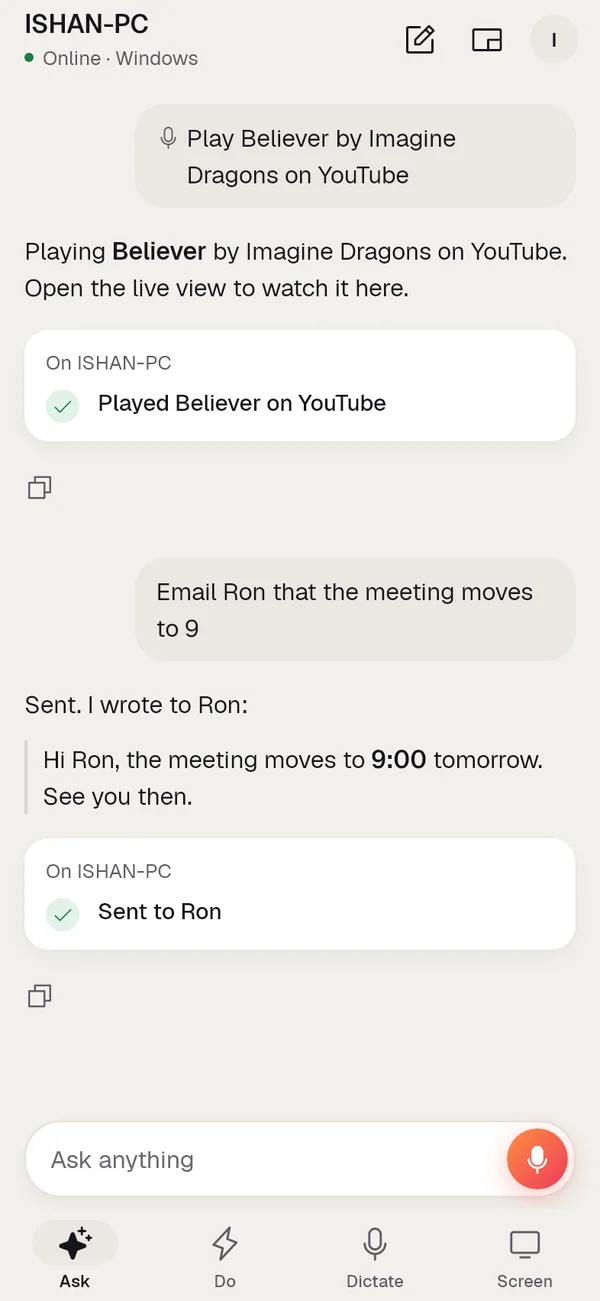
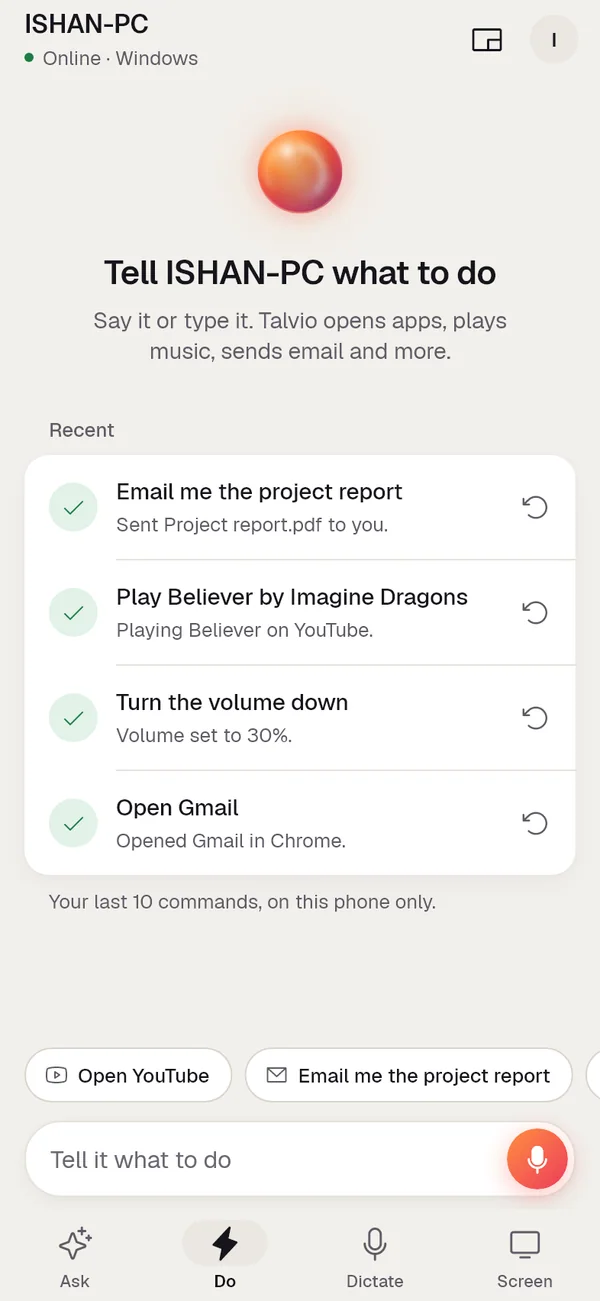
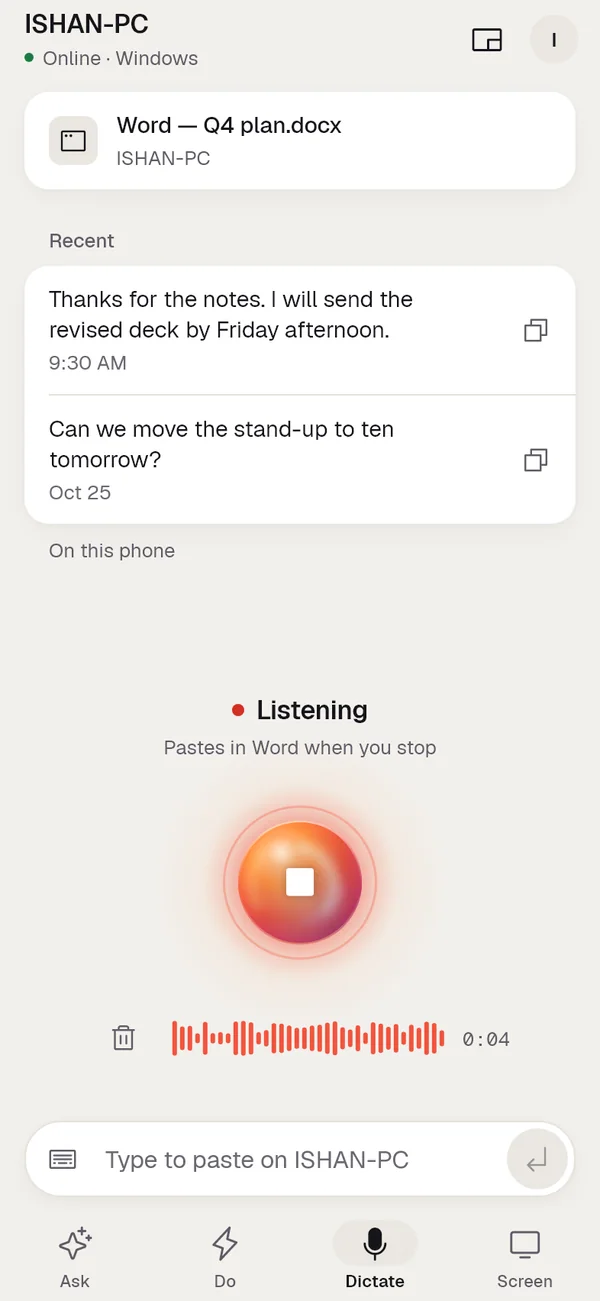
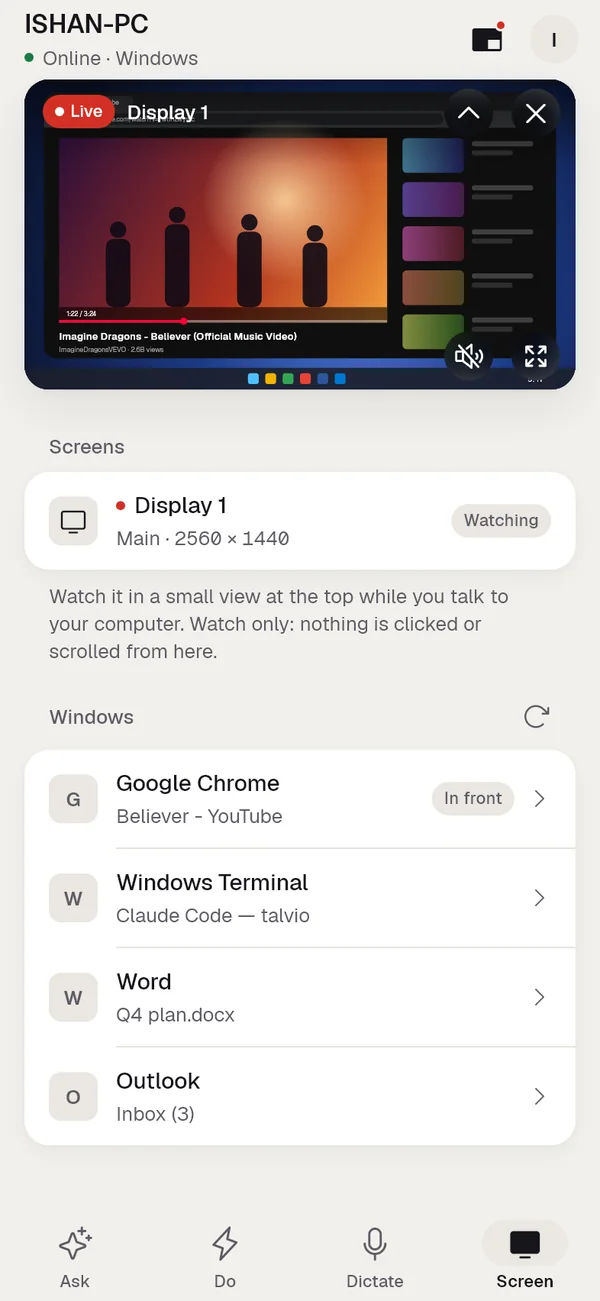
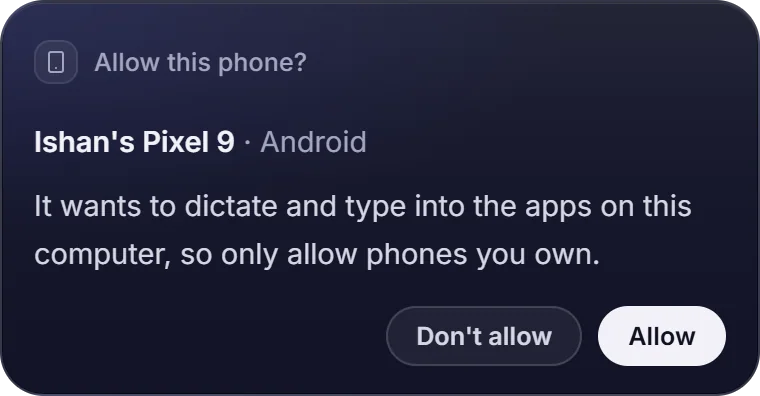
Your computer decides which phones may use it, and you can remove access any time. The account server passes messages between your devices and never stores a recording or a transcript.
Inside the app
One calm place
for all of it.
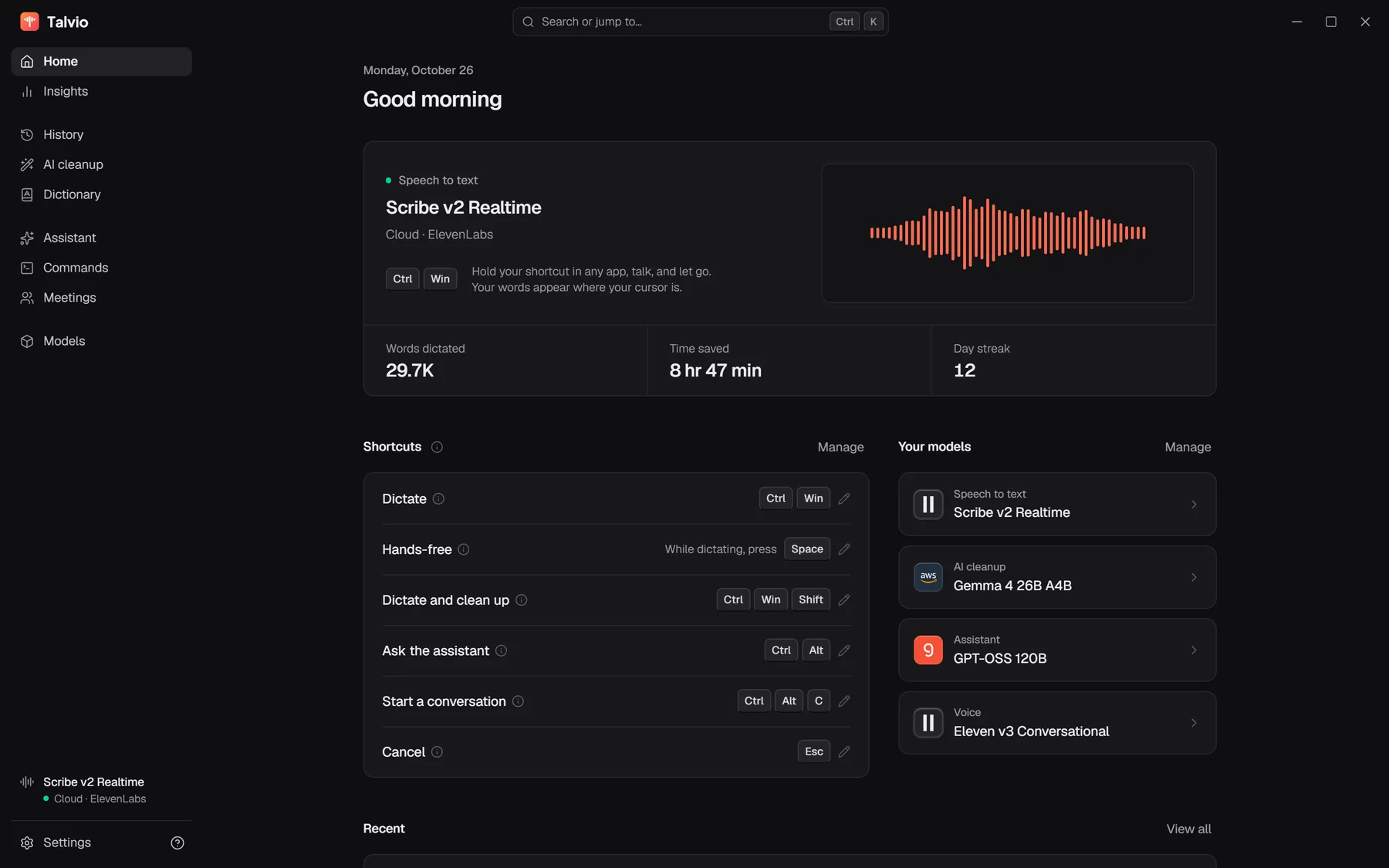
Home: what Talvio is listening with, your keys, and how much you've said.
Privacy
Local-first,
not local-only.
Everything can run on your own computer. When you choose a cloud model, it's with your own key, and you can see exactly where each job runs.
Speech to text
This computerCloud
Parakeet 0.6B · on your GPU
AI cleanup
This computerCloud
SpeakoFlow Mini · 0.8B
Assistant
This computerCloud
Your key, your provider
Voice
This computerCloud
Kokoro · on device
Speech on your machine
Local models run on your own processor or graphics card. The audio never leaves.
Memory that stays put
The assistant's memory lives on this device, off by default, and you can read, edit or export every line.
Keys in your keychain
API keys go into the system's credential store, never into a plain settings file.
Screens only when allowed
Screen vision is off until you switch it on, separately for asks and for calls.
Phones need your yes
A new phone asks this computer first. Remove its access whenever you like.
History on your terms
Recordings stay in History on your computer, and a retention setting clears old ones for you.
FAQ
Questions,
answered.
Something we missed? Write to us below and a person will answer.
Which computers does it run on?
Windows 10 and 11, macOS and Linux, on Intel, AMD and Arm processors. Graphics cards speed up local speech through Vulkan on Windows and Linux and Metal on Apple silicon. The phone app is for Android, with iPhone on the way.
Does it work offline?
Yes. Pick a local speech model, SpeakoFlow Mini for cleanup, the built-in engine for the assistant and an on-device voice, and nothing needs the internet.
Do I need an API key?
Not for local models. If you'd rather use a hosted service such as ElevenLabs, OpenAI, Groq, Deepgram, Anthropic or OpenRouter, you bring your own key and pay that provider directly.
Will it type into my app?
If it has a cursor, yes: email, chat, documents, code editors, the browser's address bar. Talvio puts your clipboard back only after the app has read the dictation, so you never paste the wrong thing.
How does the phone connect?
Sign in to the same account on both. The first time a phone asks to use the computer, the computer shows a card and you choose Allow. The phone app is for Android, with iPhone on the way.
Where does Talvio come from?
It grew out of two open-source projects, Handy by CJ Pais and SpeakoFlow by Abhishek Barali, and keeps their MIT license and credits. Speech models keep their own names and licenses.
Put your voice
to work.
Install it, hold two keys, and start talking.